Free & open source MIT licensed No account, ever 100% offline

Free novel writing software that keeps your book in real Word files

NovelForge is a free, open-source novel-writing studio for Windows. Every scene, character sheet and map is a real Microsoft Word document in a folder on your own disk: no subscription, no cloud, no account. Nine outline frameworks, a story graph that reads your actual prose, and a fantasy map maker that builds a whole world in one click.

No telemetry. No internet connection required. Works on a laptop with the Wi-Fi off.

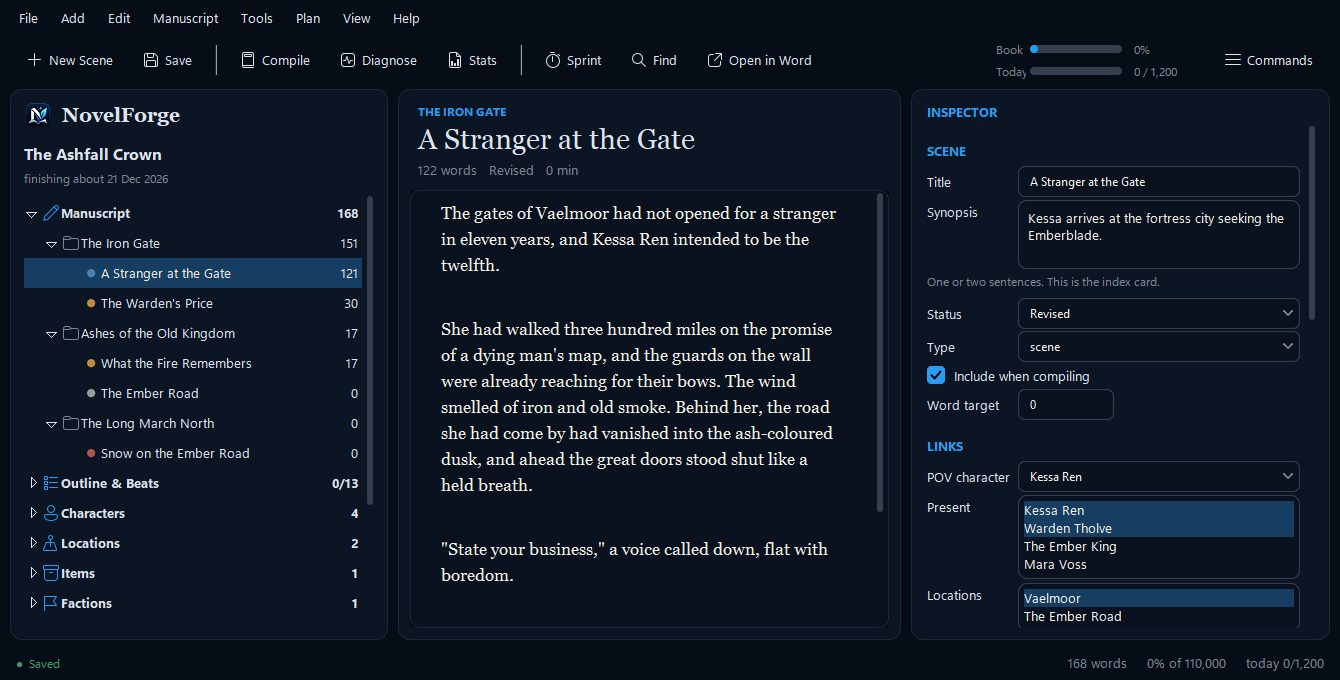
The Ashfall Crown — NovelForge
NovelForge's main writing window: a binder of chapters and scenes on the left, the scene editor in the middle, and a scene inspector with goal, conflict and disaster fields on the right.
9outline frameworks
$0now and always
15point continuity checker
100%of your work on your own disk

What is NovelForge? It is free, open-source novel writing software for Windows. It gives you a binder of chapters and scenes, a corkboard, nine outline frameworks, a timeline, reference sheets for characters and places, a story graph that checks continuity, a procedural fantasy map maker and offline prose diagnostics. Unlike most writing apps it stores your book as ordinary Microsoft Word (.docx) files, one per scene, so nothing is locked in a database and nothing is uploaded anywhere.

Why writers choose it

Built for people who finish books

A novel takes years. The tool you write it in should still open, exactly as readable, on the day you type the last line.

You own every file

Real .docx documents in a plain folder. Open them in Word, back them up with anything, hand them to an editor. If NovelForge vanished tomorrow your novel would still be there.

Free, with no catch

No trial, no subscription, no paywalled feature, no account. MIT-licensed source you can read, change and share.

Fully offline and private

Nothing is sent anywhere, ever. There is no telemetry and no generative AI reading your manuscript. It works with the network unplugged.

Made for fiction

Scene goal, conflict and disaster fields, nine story structures, a timeline that understands invented calendars, and reference sheets for characters, places, items and factions.

Fast, and keyboard-first

It opens in about a second. Press Ctrl+Shift+P and type what you want (“story graph”, “backup”, “theme”) and it runs.

Hard to lose your work

Atomic saves, a snapshot of every scene before each save, verified zip backups and a crash-recovery journal that asks before it restores anything.

A tool built as a story, not a checklist

What it actually feels like to use
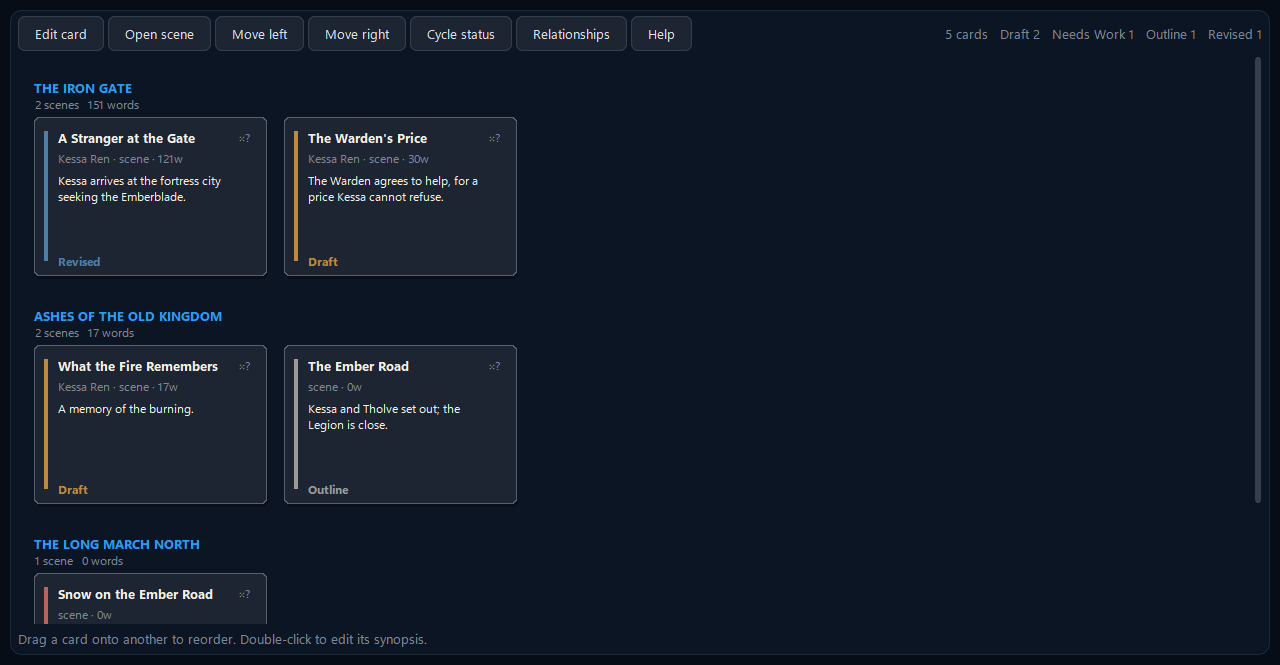
Corkboard — The Ashfall Crown
The corkboard: every scene as an index card, grouped by chapter and colour-coded by status, ready to drag into a new order.
Plan

Know where the story is going.

Nine outline frameworks (Three-Act, Save the Cat, Snowflake, Seven-Point, Story Circle, Hero's Journey, Romancing the Beat, Mystery/Crime and Freytag) and you can switch between them freely: each one's answers are kept, so trying a different shape costs nothing. The corkboard shows every scene as an index card you can drag into a new order.
More about planning →

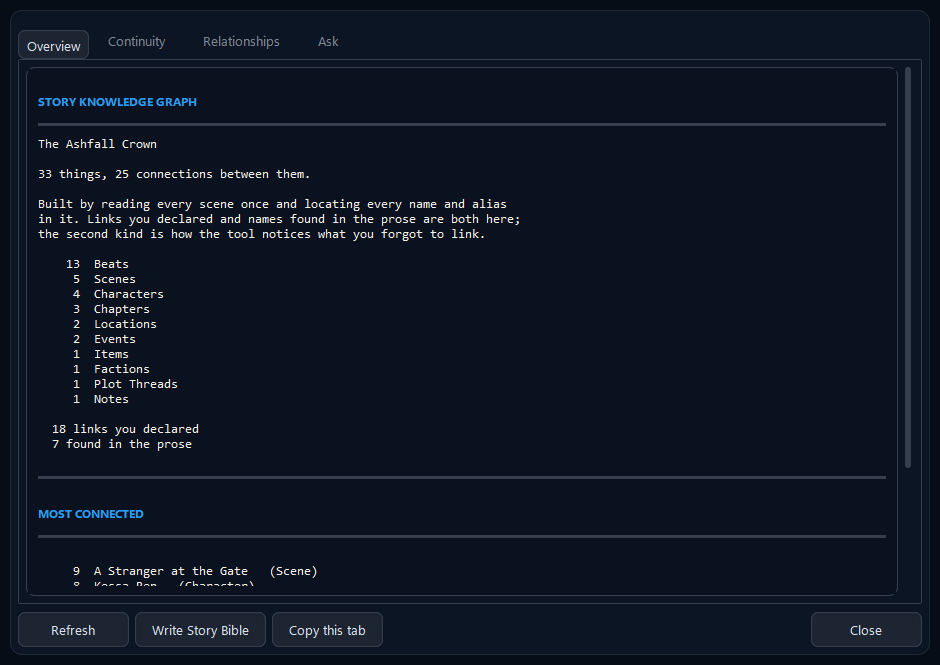
Story Graph — The Ashfall Crown
The story graph window listing every character, place, item and thread the manuscript mentions, and how connected each one is.
Understand

See what your manuscript knows.

NovelForge reads your whole manuscript and builds a map of it: every character, place, object and thread, and every scene each one appears in. It finds them two ways, links you set by hand and names it spots in your actual prose, which is how it notices what you forgot to link. A 15-point continuity checker runs on the same graph: dropped plot threads, dates running backwards, a character who appears before they are born.
More about the story graph →

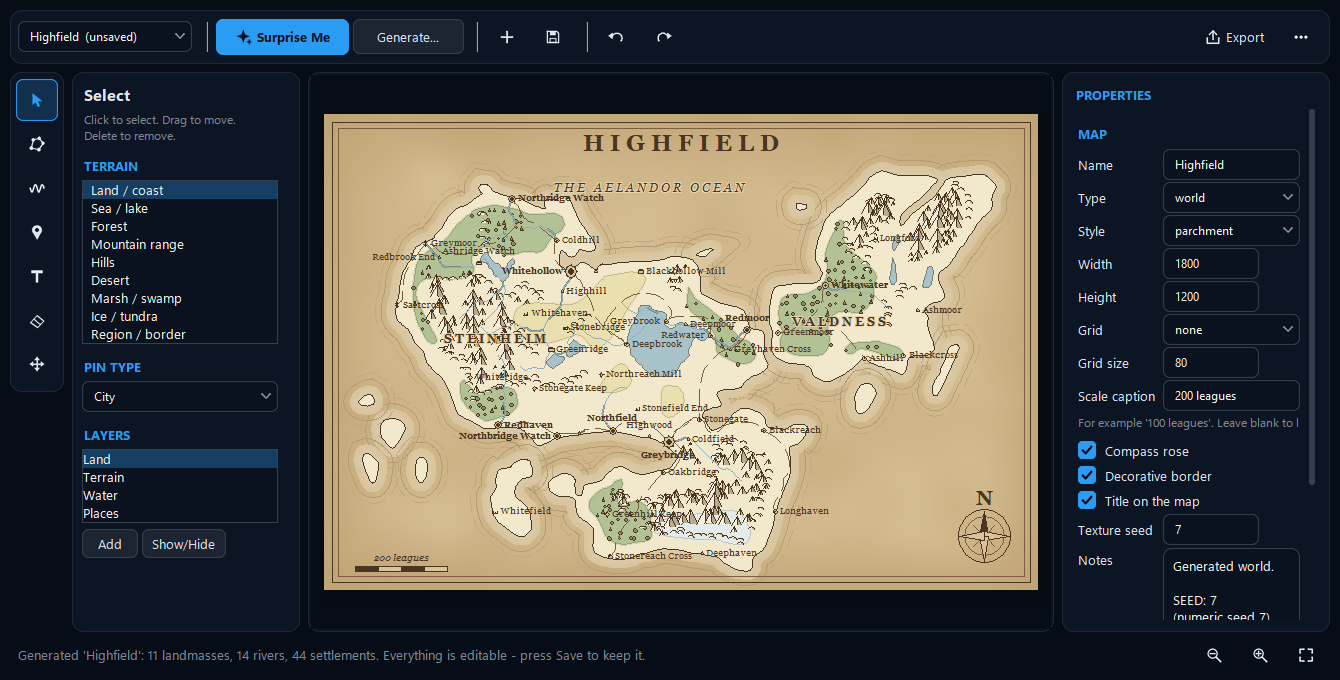
Map Maker — Highfield
The map maker: a tool rail, terrain and layer palettes, a generated fantasy world with mountain ranges, forests, rivers, roads and named towns, and a properties panel.
Build worlds

Draw the world behind the words.

Press Surprise Me for a complete fantasy world: ragged coastlines, mountain ranges, rivers that run from the highlands to the sea, forests, deserts, roads that follow the land and dozens of named settlements. It comes with a seed you can save and regenerate exactly. Prefer to draw it yourself? Freehand coastlines, 13 terrain types and 20 pin types are there too, in four art styles.

Meet the map maker →

◆
Atomic writesEvery file is written to a temporary name and swapped in, so a crash mid-save cannot leave a half-written file.
◆
Version snapshotsEvery scene is copied before each save. Restore any of them without losing the current version.
◆
Verified backupsA zip of the whole project, opened again and checksum-verified before it is trusted.
◆
Crash recoveryA journal that asks before it restores anything, and never silently overwrites what you have.
Protect your work

Your novel stays yours.

Nothing here depends on a server staying online, a company staying in business or a subscription staying paid. Full undo and redo covers structural edits too: delete a chapter, get it back, files included. That is the whole reason NovelForge writes real Word documents in the first place.

How it compares

Where NovelForge fits

Scrivener and Atticus are excellent, mature tools; this is not a claim to beat them at everything. Here is the short version.

NovelForgeScrivenerAtticusObsidian
PriceFreePaid licencePaid licenceFree
Where your book livesReal .docx filesProject fileCloud-synced projectMarkdown files
Built-in outline frameworks9TemplatesNot built inVia plugins
Story graph and continuity checksYesNoNoNote graph, not story-aware
Procedural fantasy map makerYesNoNoNo
Open sourceYes (MIT)NoNoNo
Runs onWindowsWindows, Mac, iOSDesktop and webWindows, Mac, Linux, mobile

Prices and features are as we understand them in September 2026; please check each vendor. Read the full, honest comparison, including when to pick something else →

Getting started

Four steps, no technical background needed

NovelForge runs on Windows 10 and 11. There is no installer: you unzip a folder and double-click one file.

1

Install Python

Free, from python.org. Version 3.13 or newer; tick “Add python.exe to PATH”.

2

Download NovelForge

Get the latest release’s Source code (zip) from GitHub and unzip it anywhere.

3

Double-click Write.bat

It finds Python and, the first time only, installs the two small libraries NovelForge needs. That needs the internet once.

4

Start writing

Choose File → New Novel, give it a title and a word target, and type. It saves itself.

Windows 10 and 11 only for now. The engine is plain Python, but the interface has only ever been tested on Windows. macOS and Linux are a possibility, not a promise.

Questions

Quick answers

Is NovelForge really free?

Yes. It is free and open source under the MIT licence. There is no trial period, no subscription, no locked feature and no account. If it helps you, a donation is welcome but never expected.

Does NovelForge work offline?

Completely. It never connects to the internet: no telemetry, no update check, no cloud. The only time you need a connection is to download it and, on first run, to fetch two small Python libraries once.

Where are my files stored?

In a normal folder on your own computer, Projects\Your Novel\. Every scene is its own Word (.docx) file. A small project.json remembers only ordering, links and word counts, never your prose.

Does it use AI?

No. There is no generative AI in NovelForge and nothing reads your manuscript except the program on your machine. The prose checks are ordinary offline rules that point at problems; they never rewrite your text.

Does it work on Mac or Linux?

Not yet. The engine is plain Python, but the interface has only been built and tested on Windows 10 and 11. If Mac or Linux support would get you using it, please say so on GitHub.

Can I bring in a manuscript I have already written?

Yes. Copy your existing .docx files into a chapter folder and choose Manuscript → Import Loose .docx Files. Each file becomes a scene with its word count read in.

Is it good for fantasy worldbuilding?

It was built for it. Reference sheets for characters, places, items and factions, a timeline that sorts invented calendars correctly, and a map maker that generates whole worlds you can then edit and link back to your Location sheets. See the map maker.

All the questions and answers →

Start your next chapter in files you own.

Free for Windows 10 and 11. No account, no cloud, no catch.